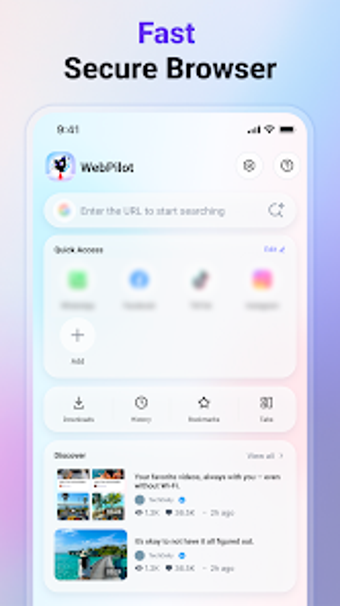
All-in-one private browser and HD media downloader for Android
Save 1080p and 720p video directly from webpages with automatic detection while you browse multiple tabs, and keep downloads organised inside the app. Developed by Semesta Code for Android utilities, WebPilot : Safe Smart pairs a private web browser with an integrated download manager. It includes smart video detection, an HD media saver, and an in-app file explorer, making it suitable for Android users who frequently save online media and prefer local management over multiple tools.
What core tasks does WebPilot perform?
WebPilot combines a built-in browser, a detection engine, and a local file manager into one tool. The app's smart video detection automatically identifies downloadable media on visited pages, the download manager handles pause/resume and concurrent tasks, and the local explorer renames, shares, or deletes saved files. Those capabilities are presented as an integrated workflow so you don't switch apps to capture, queue, and manage a saved file.
Does it affect device resources during browsing and downloads?
The app is described as a lightweight package optimised for modern Android devices and supports multiple concurrent downloads. In practice, that means it runs the browser and downloader inside a single process rather than launching separate heavyweight apps. The integrated design reduces context switching; however, heavy HD downloads depend on network throughput and device storage speed rather than the app itself.
Is WebPilot safe to use for private sessions and stored media?
WebPilot offers a private browsing mode that avoids storing history, cookies, and cache for those sessions, and it keeps saved media in local storage under the app's management. The product emphasises private sessions and local file control as privacy measures. The app is supported by advertisements, which is a distinct runtime behaviour to consider when evaluating privacy and background network activity.
Can non-technical users operate it without specialist knowledge?
The interface groups browsing, detection, and file options together and includes tabbed browsing plus an in-app file explorer, reducing the need to learn separate tools. The one-tap save flow from detected videos and visible download controls (pause, resume, progress) suit users who want straightforward saving tasks. Users who need finer control over codecs or container changes may find the in-app options limited compared with dedicated media tools.
Practical for local HD saving, with an ad-related trade-off
WebPilot is a sensible option for Android users who want private sessions and direct HD media saving into local storage, especially when avoiding multiple apps is a priority. The integrated detection and file manager suit routine media capture, but the presence of in-app advertisements and reliance on source-provided video quality are tangible trade-offs for those seeking an uninterrupted or fully configurable download environment.